Locking landing pages as templates
Last updated: February 26, 2026
You can lock any landing page to use it as a reusable template. This prevents accidental edits to your approved designs and lets your team create new pages from a consistent starting point.
How to lock a page
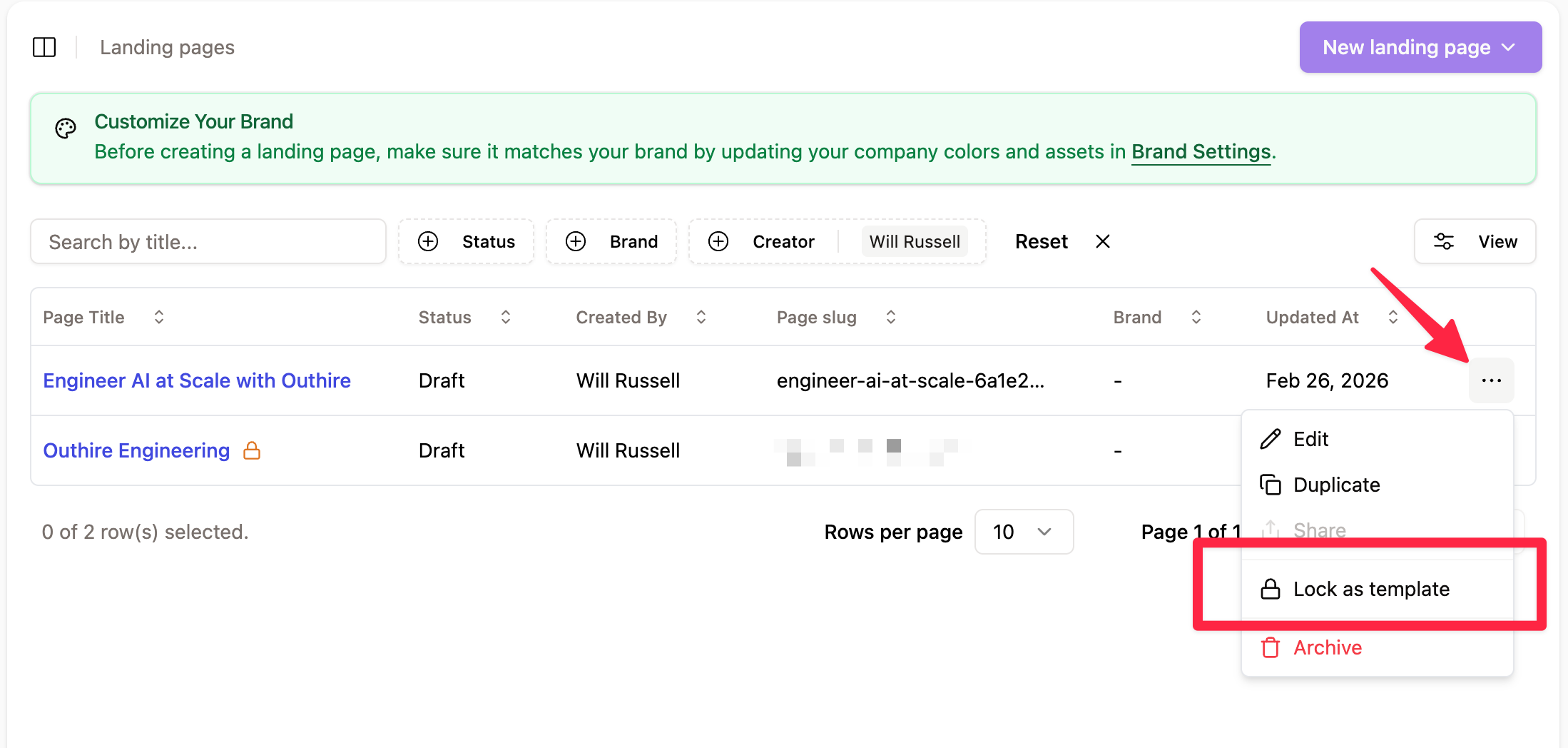
Go to Landing pages
Find the page you want to lock and click the ⋯ menu on its row
Select Lock as template
Once locked, the page will display a lock icon next to its title, indicating it's protected.
What locking does
Prevents direct editing — locked pages can't be modified, keeping your approved layout and content intact.
Enables duplication — team members can duplicate the locked template to create new pages, then edit the copy.
When to use it
You've finalised a landing page design and want to reuse it across campaigns
You need to maintain brand consistency across multiple pages
You want to stop a shared page from being accidentally changed
Unlocking
To make changes to a locked template, unlock it from the same ⋯ menu, edit as needed, then re-lock it.